Knowledgeum Academy - Empowering Your Learning Journey
A leave application, whether a letter or an email, is a formal request for time off from work, school, or other commitments. Writing a well-structured and respectful leave request ensures your absence is properly communicated and approved. Whether you’re seeking leave for illness, personal reasons, family commitments, or a vacation, the application should be clear and concise. The key to crafting an effective leave request, in both email and letter formats, is using a polite tone while ensuring all essential details like dates and reasons are mentioned. Here’s how you can write effective leave applications for both scenarios.
Salutation: Address the appropriate person, such as your boss, HR manager, or principal.
Subject: A brief statement summarizing the reason for your leave.
Body of the Letter: Clearly mention your reason for leave, the period of your absence, and any supporting details. If required, provide medical certificates or documents.
Thank you & Closing Statement: Thank the recipient for understanding and signing off professionally.
Signature: End with "Yours sincerely" followed by your name.
To:
The Principal
[School Name]
[School Address]
Subject: Application for Sick Leave
Respected Sir/Madam,
I am [Your Name], a student of Class [Your Class], Roll No. [Your Roll Number]. I have been feeling unwell and require bed rest for [number of days]. Kindly grant me leave from [start date] to [end date]. I will catch up on missed lessons upon my return.
Thank you for your understanding.
Yours sincerely,
[Your Name]
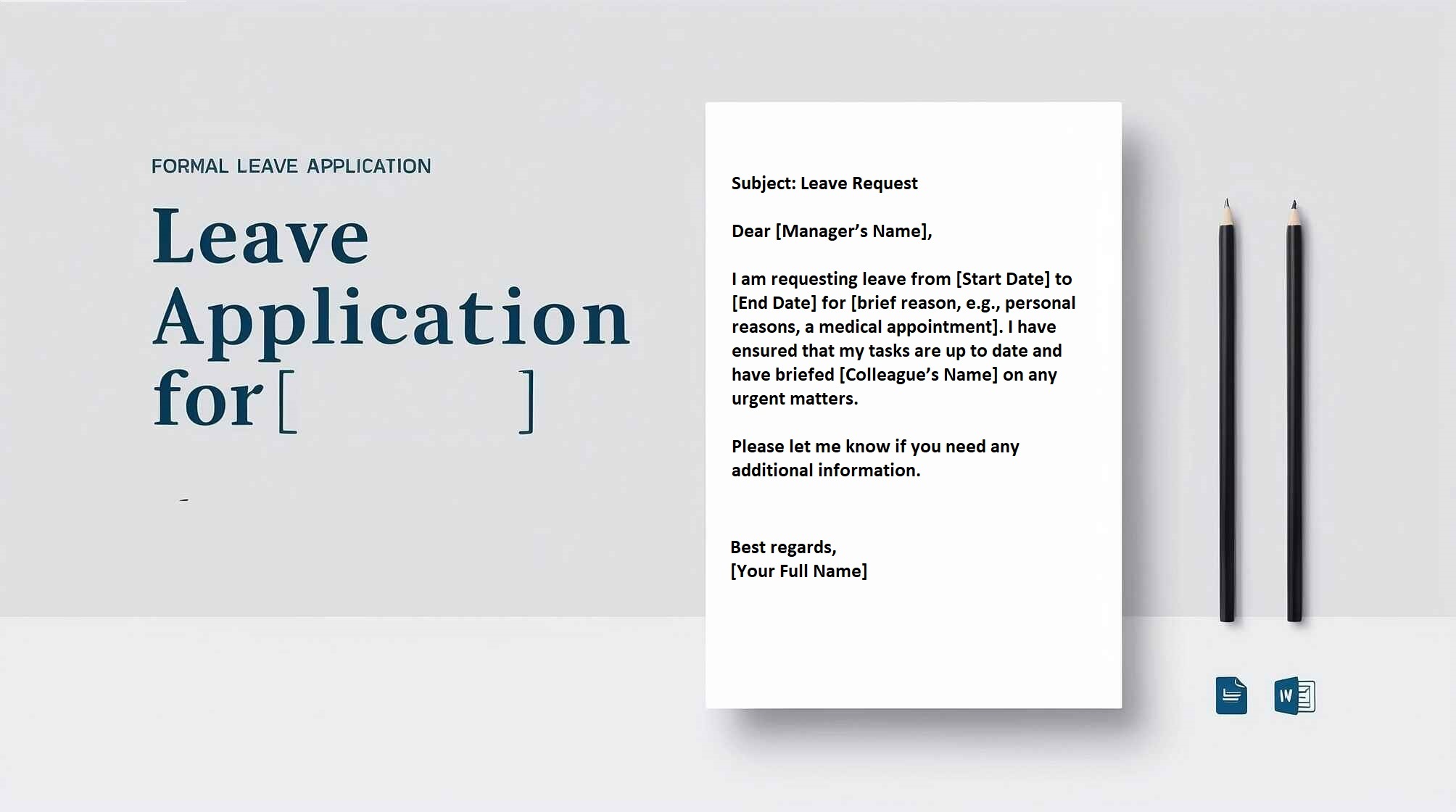
Subject: Request for Casual Leave
Dear [Manager's Name],
I hope this message finds you well. I am writing to request casual leave from [start date] to [end date] due to [brief reason, e.g., personal commitments]. I have ensured that my responsibilities will be covered by [colleague's name] during my absence.
Please let me know if you need any additional information.
Best regards,
[Your Name]
[Position]
[Contact Information]
Sick Leave: Leave for health issues, supported by medical documents if required.
Medical Leave: For surgeries, medical treatments, or recovery.
Personal Leave: For family matters, emergencies, or personal commitments.
Vacation Leave: Planned leave for holidays or trips.
Maternity/Paternity Leave: For expecting or new parents.
Marriage Leave: For weddings or related events.
Step 1: Identify the Right Format
Step 2: Write the Header
Step 3: Craft the Opening Paragraph
Step 4: Clearly State the Reason
Step 5: Specify the Dates
Step 6: Mention Your Availability
Step 7: Close Politely
Casual Leave Application: Casual leave is usually granted for short periods and is used for personal matters. This type of leave typically requires prior approval.
Sick Leave Application: Sick leave is taken when an employee is unwell and cannot perform their duties. A medical certificate may be required, depending on the duration.
Maternity/Paternity Leave Application: Maternity and paternity leave are granted to new parents to care for their newborn. The duration and policies vary depending on the country and organization.
Bereavement Leave Application: Bereavement leave is taken following the death of a close family member. It allows the employee time to grieve and attend funeral services.
Unpaid Leave Application: Unpaid leave is taken when an employee has exhausted their paid leave options but still needs time off. This type of leave does not include salary compensation.
Annual Leave Application: Annual leave is part of the employee's contract and is granted for a specified number of days each year, typically for vacation purposes.
In schools and colleges, leave applications are a must and are usually submitted as either an email or a handwritten letter. These days, most organizations, including schools and businesses, have moved to digital platforms, accepting leave requests via email or online systems. Many schools and businesses now use Enterprise Resource Planners (ERPs), where leave applications follow a fixed format— all you need to do is add the reason for your leave. ERP leave requests tend to be shorter and less formal compared to traditional handwritten or emailed applications.
When applying for leave through an ERP, you simply fill out the required fields. It’s quick and to the point, which means you don’t need to stress too much about the wording. Here’s what the process usually looks like:
The tone can be casual and less formal than an email or handwritten note.
When sending a leave request through email, there’s a simple format you can follow:
Subject: Leave Request for [Reason]
To: [Recipient's Email]
CC/BCC: [Optional if others need to be copied]
Dear [Recipient’s Name],
I hope you’re doing well. I’m writing to request leave from [start date] to [end date] due to [mention the reason, such as personal commitments, health issues, etc.]. During this time, I’ll be unavailable for work/class but will make sure to handle any pending tasks when I return.
I’d appreciate it if you could approve my request. Thank you so much for understanding.
Best regards,
[Your Full Name]
[Your Position/Grade, Contact Info]
For a handwritten leave request, the structure is similar but feels more personal. Here’s how you can approach it:
Date: [Date]
From:
[Your Name]
[Your Class/Department, Roll Number]
[School/College/Company Name]
To:
[Recipient’s Name or Designation]
[School/College/Company Name]
Subject: Request for Leave
Dear [Sir/Madam/Recipient’s Name],
I hope this letter finds you well. My name is [Your Name], and I’m a student/